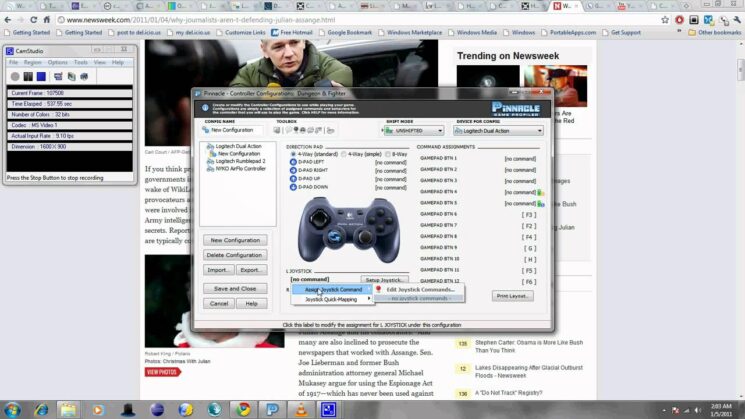
A game profiler is a program that allows you to assign commands (like pressing a keyboard key or moving the mouse) to the joysticks and buttons on your game controller, and otherwise, customize the controller’s behavior.
Many games do not directly support game controllers, but with Pinnacle Game Profiler you can use your controller to play almost ANY GAME! Even classic legacy controller devices can be used!
Think of Pinnacle as the “middle man” who presses your keyboard keys or moves your mouse whenever you do certain things on your controller, like moving the joystick or holding a button. Games that normally require an awkward keyboard/mouse control system can now be played with your favorite gamepad!
About Pinnacle

Besides the ability to use your controller to play games that do not directly support your gamepad, Pinnacle Game Profiler allows you to have several different controller configurations for each of your games. Downloading pre-made command sets and configurations is easy with the built-in PinnacleUpdate software; or you can create your own custom configurations, using commands you make yourself, import, or download using PinnacleUpdate.
Pinnacle can be used to invert a joystick’s direction axis, create rapid-fire buttons, map mouse movements to a joystick’s movements, achieve multiple character speeds with one joystick, and much, much more!
Supported Devices
Pinnacle Game Profiler supports any controller model, but the following list of controller models have been fully tested with the software and are supported by downloadable official profiles and/or ImageGuides for the device.
- XBOX 360 Controller (wired) – supported with official profiles and ImageGuide
- XBOX 360 Controller (wireless) – supported with official profiles and ImageGuide
- XBOX Controller-S – supported with official profiles and ImageGuide
- PlayStation Dual Shock (PSX) – supported with official profiles and ImageGuide
- PlayStation2 Dual Shock (PS2) – supported with official profiles and ImageGuide
- PlayStation3 SIXAXIS (PS3) – supported with official profiles and ImageGuide
- Logitech Chillstream – supported with official profiles and ImageGuide
- Logitech Rumblepad2 – supported with official profiles and ImageGuide
- Logitech Dual Action – supported with official profiles and ImageGuide
- Mad Catz Game Controller – supported with official profiles and ImageGuide
- Mad Catz Wireless Gamepad – supported with official profiles and ImageGuide
- MadCatz 360 Gamepad – supported with official profiles and ImageGuide
- MadCatz 360 Pro – supported with official profiles and ImageGuide
- MadCatz 360 MicroCon – supported with official profiles and ImageGuide
- MadCatz Arcade GameStick 360 – supported with ImageGuide
- Joytech 360 Gamepad – supported with official profiles and ImageGuide
- JoyTech NEO-S Gamepad – supported with official profiles
- Pelican TSZ360 Pad – supported with official profiles and ImageGuide
- Bigben Controller BB7201 – supported with official profiles and ImageGuide
- Nostromo n45 Dual Analog Gamepad – supported with official profiles
- NYKO Air-FLO Controller – supported with official profiles and ImageGuide
- GGE908 PC Recoil Pad – supported with official profiles
- GGE909 PC Recoil Pad – supported with official profiles
- GGE910 Wireless PC Control Pad – supported with official profiles
- Thrustmaster FireStorm Dual Analog – supported with official profiles
- Thrustmaster FireStorm Dual Analog 2 – supported with official profiles
- Thrustmaster FireStorm Dual Trigger – supported with official profiles
- Thrustmaster FireStorm Dual Trigger 2 – supported with official profiles
- Thrustmaster FireStorm Wireless – supported with official profiles
- Thrustmaster FireStorm Dual Power – supported with official profiles
- Thrustmaster FireStorm Dual Power 2 – supported with official profiles
- Nintendo Wiimote and Nunchuk – supported with ImageGuide
- Nintendo Wiimote and Classic Controller – supported with ImageGuide